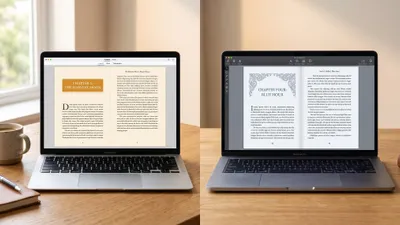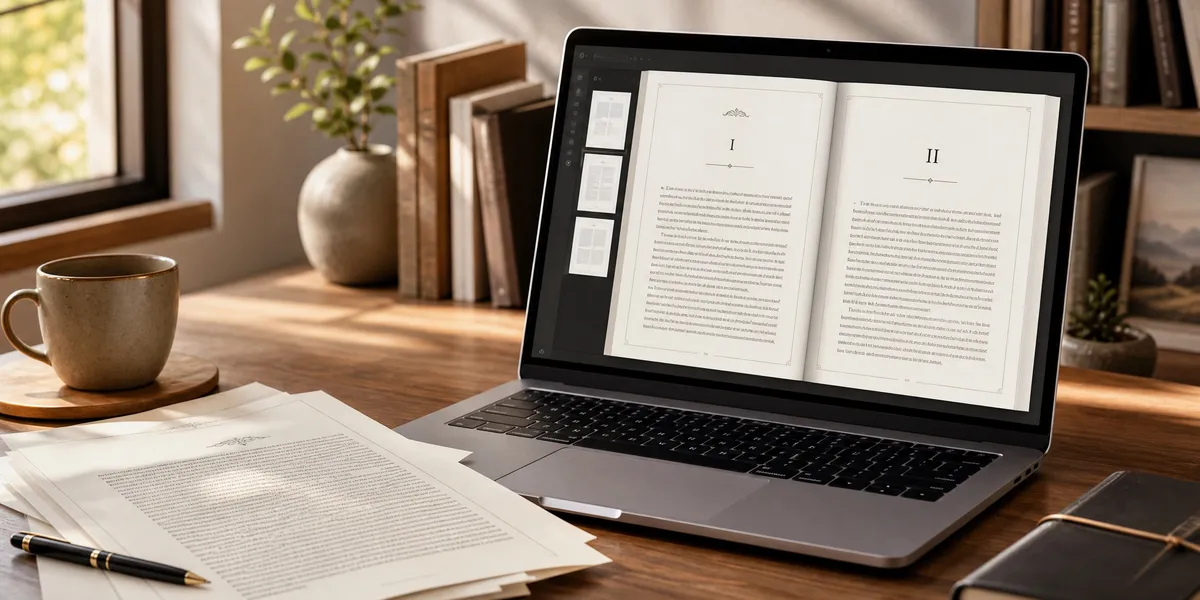
Atticus is a $147 browser-based book formatting tool that promises to handle both writing and formatting in one place. After using it across multiple book projects, I can tell you exactly where it shines and where it falls short.
In this review, you’ll learn:
- What Atticus actually does well (and what it doesn’t)
- How it compares to Vellum, Scrivener, and AI-powered alternatives
- Whether the $147 price tag is worth it for your publishing workflow
- Which authors should buy it — and who should look elsewhere
Here’s my honest breakdown after putting Atticus through real-world use.
What Is Atticus?
Atticus is a browser-based writing and book formatting application created by Dave Chesson of Kindlepreneur. It launched in 2021 as a cross-platform alternative to Vellum (Mac-only) and Scrivener (limited formatting), combining manuscript drafting and professional book design in a single tool.
You access Atticus through your web browser or its downloadable progressive web app (PWA). It works on Windows, Mac, Linux, and Chromebook — which immediately sets it apart from Vellum’s Mac-only restriction.
The core value proposition is simple: write your book, format it for ebook and print, and export publication-ready files without switching between applications. You pay $147 once, get lifetime updates, and own it forever.
Our Pick — Chapter
If you need help writing your book before formatting it, Chapter uses AI to generate complete manuscripts from outline to finished draft. Over 10,000 authors have used Chapter to create books. Use Chapter to write the book, then a formatting tool to prepare it for publishing.
Best for: Authors who want AI-powered writing assistance before they reach the formatting stage Pricing: $97 one-time (nonfiction) Why we built it: Most formatting tools assume you already have a finished manuscript. Chapter solves the harder problem first.
How Does Atticus Work?
Atticus runs entirely in your browser — no software installation required. You create an account at atticus.io, log in, and start working immediately.
The workflow follows three stages. First, you either write your manuscript inside Atticus or import an existing file (DOCX, EPUB, or plain text). Second, you choose a formatting theme and customize fonts, spacing, chapter headings, and ornamental breaks. Third, you export your formatted book as an EPUB, print-ready PDF, or DOCX file.
Your work saves automatically to the cloud. You can also download the PWA for limited offline access, though you’ll need an internet connection to sync changes and export files.
Atticus Formatting Features
Formatting is where Atticus genuinely excels. The formatting engine offers professional-quality output that rivals Vellum’s results at a lower price point.
Chapter Themes and Customization
Atticus includes 17+ built-in chapter themes, each customizable down to font choice, heading size, spacing, and ornamental scene breaks. You can modify any theme or build your own from scratch — then save it for reuse across your entire series.
The theme builder gives you control over heading fonts, body fonts, paragraph spacing, first-line indentation, drop caps, and scene break ornaments. You pick from over 1,500 Google Fonts, which is a massive advantage over Vellum’s 26 preset options.
Front and Back Matter
Adding front and back matter is straightforward. Atticus supports title pages, copyright pages, dedications, epigraphs, acknowledgments, author bios, “also by” pages, and more. You drag and drop these elements into position, and the formatting handles the rest.
This is especially useful for self-published authors who need professional-looking front matter without hiring a designer.
Export Options
Atticus exports to three formats:
- EPUB — for Kindle, Apple Books, Kobo, Draft2Digital, and other ebook distributors
- Print-ready PDF — for Amazon KDP, IngramSpark, and print-on-demand services
- DOCX — for authors who need a Word file for editors or traditional submission
The print PDF export handles trim sizes, margins, gutters, bleed, and page numbering automatically. You can preview your book in different device formats before exporting, which helps catch layout issues early.
Large Print Support
Atticus includes dedicated large print formatting options — a feature that most competitors skip entirely. You can create large print editions with appropriate font sizes, margins, and spacing without building a separate project from scratch.
Atticus Writing Features — Where It Falls Short
Here’s where the honest part of this review matters most. Atticus markets itself as a writing and formatting tool, but the writing side is underdeveloped.
What’s Missing From the Writing Editor
The writing editor lacks features that most authors consider essential:
- No spell check — you’ll need to rely on your browser’s built-in checker
- No grammar check — no integration with Grammarly or similar tools natively
- No global find and replace — a serious problem when you need to change a character name or fix a recurring typo across 80,000 words
- No comment or annotation tools — you can’t leave notes for yourself or collaborate with editors inside Atticus
- No track changes — sending your manuscript to an editor means exporting, editing elsewhere, and reimporting
These aren’t minor gaps. If you’re actively drafting and revising a manuscript, the missing find-and-replace alone makes Atticus impractical as your primary writing tool. The Atticus writing environment works fine for light drafting, but it’s not ready to replace dedicated writing software.
What the Writing Editor Does Well
The writing side isn’t all bad. Atticus includes:
- Distraction-free interface — clean, minimal design that stays out of your way
- Writing goals and word count tracking — set daily targets and monitor progress
- Sprint timer — built-in writing sprint feature for timed sessions
- Chapter organization — drag-and-drop chapter reordering with a sidebar overview
- ProWritingAid integration — the one editing integration currently available
For authors who write clean first drafts and don’t need heavy revision tools, the writing editor is functional. But most authors will want to write in a dedicated tool — whether that’s Scrivener, Google Docs, or an AI writing assistant like Chapter — and import the finished manuscript into Atticus for formatting.
Atticus Pricing: Is $147 Worth It?
Atticus costs $147 as a one-time payment with lifetime updates and a 30-day money-back guarantee. There’s no subscription, no annual renewal, and no tiered pricing.
Here’s how that stacks up against alternatives:
| Tool | Price | Model | Platform |
|---|---|---|---|
| Atticus | $147 | One-time | Windows, Mac, Linux, Chromebook |
| Vellum | $199-$249 | One-time | Mac only |
| Scrivener | $49 | One-time | Windows, Mac |
| Chapter | $97 | One-time | Web (all platforms) |
| Reedsy | Free | Free tier | Web (all platforms) |
| Amazon KDP formatting | Free | Free | Web |
For what you get — professional formatting with cross-platform access and lifetime updates — $147 is fair. It’s significantly cheaper than Vellum ($249 for the full ebook + print bundle) and delivers comparable formatting quality.
The question isn’t whether $147 is a lot of money. It’s whether Atticus solves a problem you actually have. If you’re a Windows user who needs Vellum-quality formatting, Atticus is the best option available at any price. If you’re a Mac user who already owns Vellum, the upgrade is harder to justify.
Occasional discounts of $20-$30 appear during NaNoWriMo and major author conferences like 20Books Vegas.
Atticus Pros and Cons
Pros
- Cross-platform access — works on every operating system, including Chromebook
- One-time pricing — $147 with lifetime updates, no subscription
- Professional formatting quality — output rivals Vellum for both ebooks and print
- 1,500+ fonts — massive customization compared to Vellum’s 26
- Custom theme builder — create and reuse themes across your series
- Large print support — built-in large print formatting most tools don’t offer
- Device preview — see how your book looks on Kindle, iPhone, and in print before exporting
- Front/back matter — easy drag-and-drop for all standard book sections
- Writing goals and sprints — basic but functional productivity features
- 30-day money-back guarantee — risk-free trial period
Cons
- Requires internet connection — cloud-based with limited offline capability
- Weak writing editor — no spell check, no find/replace, no track changes
- No collaboration tools — can’t share with editors or co-authors effectively
- Occasional performance issues — some users report slowdowns with long manuscripts
- No advanced image handling — in-line images can cause export issues
- Learning curve for custom themes — the theme builder is powerful but takes time to master
- No grammar integration — no Grammarly or built-in grammar checking
How Does Atticus Compare to Vellum?
This is the most common comparison, and it matters because Vellum has been the gold standard for indie book formatting since its launch.
Atticus wins on: price ($147 vs $249), platform availability (all vs Mac-only), font selection (1,500+ vs 26), theme customization (fully custom vs preset-only), and large print support.
Vellum wins on: formatting polish (slightly more refined output), stability (desktop app vs browser-based), offline reliability, and overall user experience maturity.
If you’re on Windows or Linux, the comparison is already decided — Atticus is your best option because Vellum doesn’t exist for your platform. If you’re on Mac and starting fresh, both tools deliver professional results. Read the full Atticus vs Vellum comparison for a detailed breakdown.
How Does Atticus Compare to AI Writing Tools?
Atticus and AI writing tools solve fundamentally different problems. Atticus formats a finished manuscript. AI book writing software helps you create the manuscript in the first place.
The smartest workflow combines both: use an AI writing tool like Chapter to draft and develop your book, then import the completed manuscript into Atticus for professional formatting and export.
Chapter handles the writing process — from outlining your book to generating draft chapters to refining your prose. Atticus handles the production process — making that finished manuscript look professional in ebook and print formats.
You don’t have to choose between them. They complement each other. Over 10,000 authors have used Chapter to create books, and many of them format their final manuscripts in tools like Atticus or Vellum.
Who Should Buy Atticus?
Atticus is the right choice if you match any of these profiles:
Windows, Linux, or Chromebook authors who want professional formatting quality. There’s simply no better option on non-Mac platforms. Atticus gives you Vellum-level output on any operating system.
Series authors who need consistent formatting across multiple books. The custom theme builder lets you create a look once and apply it to every book in your series, saving hours of formatting time.
Budget-conscious indie authors who want professional results without the $249 Vellum price tag. At $147, Atticus delivers comparable quality for $100 less.
Nonfiction authors who need heading levels beyond H1 and H2. Atticus supports up to six heading levels, making it better than most competitors for structured nonfiction with complex hierarchies.
Who Should Skip Atticus?
Atticus isn’t the right fit for everyone:
Authors who need a primary writing tool. If you want to write, edit, and revise inside one application, Atticus’s writing features aren’t mature enough. Use Scrivener, Google Docs, or Chapter for writing, then import into Atticus for formatting.
Authors who work heavily with editors. The lack of comments, track changes, and collaboration tools means you’ll need to do all editing outside Atticus and reimport the final version.
Mac users who already own Vellum. If Vellum is already in your workflow and you’re happy with it, switching to Atticus doesn’t offer enough advantages to justify the change and relearning curve.
Authors with image-heavy books. Children’s books, cookbooks, and heavily illustrated projects may run into export issues with Atticus’s current image handling. You’ll want a dedicated layout tool like Adobe InDesign or Canva for those projects.
How to Get Started With Atticus
Getting started takes about five minutes:
- Create your account at atticus.io and complete the $147 purchase
- Import your manuscript — upload a DOCX, EPUB, or start writing directly in Atticus
- Choose a theme — pick from 17+ built-in themes or customize your own
- Add front and back matter — drag in your title page, copyright, dedication, and other sections
- Preview and adjust — check how your book looks on different devices and in print
- Export — generate your EPUB, print PDF, or DOCX file
If you don’t have a manuscript yet, consider using Chapter to write your book first. Chapter’s AI writing assistant helps you go from idea to completed manuscript, which you can then import into Atticus for formatting and export.
For a deeper walkthrough of the formatting process specifically, see the complete Atticus book formatting guide.
Common Mistakes to Avoid With Atticus
- Don’t use Atticus as your primary writing tool — write and edit elsewhere, then import the polished manuscript for formatting
- Don’t skip the device preview — check your ebook on multiple simulated devices before exporting to catch spacing and font rendering issues
- Don’t ignore custom themes — the default themes are fine, but a custom theme matched to your genre and brand will make your books stand out
- Don’t forget to test your exports — download your EPUB and open it in Kindle Previewer or Apple Books before publishing
- Don’t format before your manuscript is final — any changes after formatting mean reimporting and reformatting from scratch
Is Atticus Worth It in 2026?
Atticus is worth $147 if you need a cross-platform book formatting tool that produces professional-quality ebooks and print files. It’s the best Vellum alternative for Windows users, offers more customization than most competitors, and the one-time pricing eliminates subscription fatigue.
It’s not worth buying as a writing tool. The writing editor lacks critical features like find-and-replace, grammar checking, and collaboration tools. Write your book in a dedicated tool — whether that’s Scrivener for manual writing, Google Docs for collaboration, or Chapter for AI-assisted writing — and bring the finished manuscript to Atticus for the formatting stage.
The sweet spot for Atticus is clear: it’s a formatting-first tool that happens to include a basic writing editor. Judge it on its formatting capabilities, and it’s excellent. Judge it on its writing capabilities, and it’s still catching up.
FAQ
Is Atticus better than Vellum?
Atticus is better than Vellum for Windows, Linux, and Chromebook users because Vellum only runs on Mac. For Mac users, both tools produce professional formatting. Atticus offers more font options (1,500+ vs 26) and costs $100 less, while Vellum has a slightly more polished interface and better offline stability.
Can you write a whole book in Atticus?
You can write a whole book in Atticus, but it’s not recommended as your primary writing tool. The editor lacks spell check, grammar check, and global find-and-replace. Most authors write in a dedicated tool like Scrivener or Chapter and import the finished manuscript into Atticus for formatting.
Does Atticus work offline?
Atticus works offline through its progressive web app (PWA), but with limitations. You need an internet connection to sync changes, export files, and access your full library. The offline mode lets you continue writing if you lose connection, but full functionality requires internet access.
How much does Atticus cost?
Atticus costs $147 as a one-time payment with lifetime updates included. There’s no subscription or annual fee. A 30-day money-back guarantee lets you try it risk-free. Occasional discounts of $20-$30 appear during events like NaNoWriMo and author conferences.
Is Atticus good for nonfiction?
Atticus is excellent for nonfiction formatting because it supports up to six heading levels — more than most competitors. This makes it ideal for structured nonfiction with chapters, sections, and subsections. It also handles footnotes, endnotes, and complex front matter well. For writing nonfiction, Chapter’s AI tools are a stronger option.