You can publish an audiobook on Audible through Amazon’s ACX platform — and your first audiobook can go live in as few as 30 days from when you start production.
In this guide, you’ll learn:
- The exact step-by-step process to get your audiobook on Audible
- How to choose between narrating yourself, hiring a narrator, or using AI voices
- What ACX’s technical audio requirements are (and how to meet them)
- How audiobook royalties work on Audible in 2026
Here’s the complete process from finished manuscript to published audiobook.
Do You Need a Finished Book Before Publishing on Audible?
Yes. You need a completed, edited manuscript before you can publish an audiobook on Audible. ACX requires a final text for narration — you can’t upload partial manuscripts or works in progress.
If you haven’t written your book yet, start there first. Chapter helps you write a full-length book with AI in under 30 days. Over 10,000 authors have used it to create books, and you’ll have a polished manuscript ready for audiobook production.
Once your manuscript is final, you also need either a published or soon-to-be-published ebook or print edition. ACX links your audiobook to an existing title on Amazon, so having a Kindle or paperback listing on KDP makes the process smoother.
Step 1: Create Your ACX Account
Go to ACX.com and sign in with your Amazon account. If you already have a KDP or Author Central account, use those same credentials.
During setup, you’ll need to:
- Confirm your tax information (W-9 for US authors, W-8BEN for international)
- Add your payment details for royalty deposits
- Verify you hold the audio rights to your book
ACX will ask you to claim your title by searching for it on Amazon. If your book is already on KDP, it should appear immediately. If it’s not on Amazon yet, you can add a new title manually.
Step 2: Choose Your Narration Method
This is the biggest decision you’ll make. You have three main options, and each affects your timeline, budget, and final quality.
Hire a Professional Narrator
Professional narrators charge between $200 and $500 per finished hour (PFH) of audio. A typical 70,000-word book runs about 8 finished hours, so total production costs range from $1,600 to $4,000.
You can find narrators directly through ACX’s marketplace. Post your project, set your budget, and narrators audition by recording a sample from your book. Listen to multiple auditions before choosing — the narrator’s voice shapes how listeners experience your story.
For a detailed breakdown of what narrators charge, see our audiobook narrator cost guide.
Use ACX’s Royalty Share Option
If you can’t afford upfront narrator fees, ACX offers a royalty share model. The narrator produces your audiobook for free in exchange for 50% of your audiobook royalties — indefinitely.
This sounds appealing, but there’s a catch. Experienced narrators rarely accept royalty share offers unless your book already sells well. You’ll typically get fewer auditions, and the narrators who do respond tend to be less experienced.
Royalty share works best when: your book already has strong ebook/print sales and positive reviews, giving narrators confidence the audiobook will earn.
Narrate It Yourself
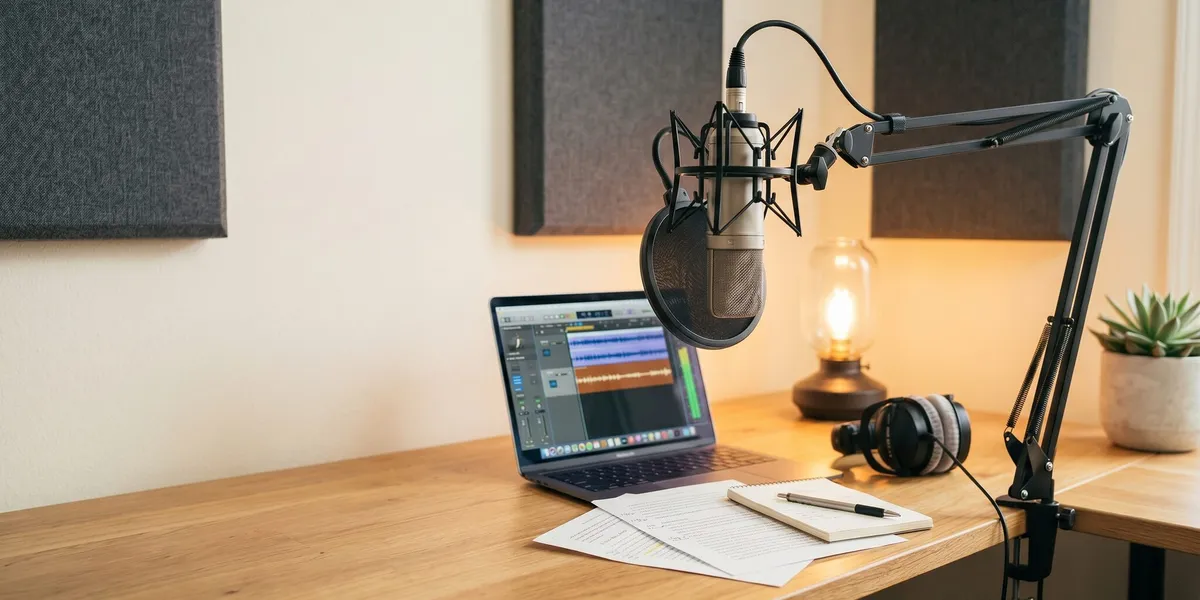
You can record your own audiobook, and for nonfiction authors especially, your authentic voice can be a selling point. But self-narration requires:
- A quality microphone for audiobook recording
- A quiet recording space (a closet with blankets works surprisingly well)
- Audio editing software like Audacity (free) or Adobe Audition
- Patience — expect to spend 3-4 hours of recording time per finished hour of audio
Use AI Narration
AI narration tools like ElevenLabs and Speechify have improved dramatically. They can produce audiobook-quality audio for under $100. However, ACX’s policy on AI-narrated content has been evolving throughout 2025 and 2026.
As of 2026, ACX requires you to contact their support team before submitting AI-narrated audio. It’s not a standard self-service upload. Amazon’s separate Virtual Voice program is invite-only and doesn’t accept author-supplied files.
If you want to use AI narration with fewer restrictions, platforms like Google Play Books and Kobo openly accept AI-narrated audiobooks. Check our AI audiobook generator guide for the full breakdown of tools and distribution options.
Step 3: Prepare Your Manuscript for Narration
Before anyone records a single word, clean up your manuscript for audio. This step prevents costly re-records.
Include in your audiobook manuscript:
- Opening credits (title, author name, narrator name)
- All chapter headings and section breaks clearly marked
- Pronunciation guides for unusual names, places, or terms
- Notes on tone shifts (if a passage is sarcastic, humorous, or emotional)
- Closing credits and any “about the author” section
Remove from your audiobook manuscript:
- The copyright page (move legal text to the end as a brief mention)
- Table of contents (listeners navigate by chapters, not page numbers)
- Footnotes and endnotes (rewrite as inline text or cut entirely)
- Image descriptions or references to visual elements
- URLs and hyperlinks (spell them out or replace with “visit the author’s website”)
Each chapter should map to a separate audio file when recorded. ACX later combines them into the finished audiobook.
Step 4: Meet ACX’s Technical Audio Requirements
ACX rejects audiobooks that don’t meet their technical specs. These requirements exist to ensure a consistent listening experience across Audible’s catalog.
Your audio files must meet these specifications:
| Requirement | Specification |
|---|---|
| File format | MP3 (constant bit rate) |
| Bit rate | 192 kbps or higher |
| Sample rate | 44.1 kHz |
| Peak amplitude | -3 dB maximum |
| RMS level | Between -23 dB and -18 dB |
| Noise floor | -60 dB or lower |
| File structure | One file per chapter/section |
| Opening/closing | Required credits in first and last files |
Each file needs 0.5 to 1 second of room tone (silence) at the beginning and 1 to 5 seconds at the end. This prevents abrupt starts and stops between chapters.
If you’re hiring a professional narrator, they handle these specs. If you’re recording yourself, use ACX’s free ACX Check tool to verify your files before uploading.
Step 5: Upload Your Audiobook to ACX
Once your audio files are ready, upload them through your ACX dashboard. Here’s the process:
- Go to your title page on ACX and click “Upload Audio”
- Upload cover art — Audible requires a square image, minimum 2400 x 2400 pixels, in JPG or PNG format
- Upload each chapter as a separate MP3 file in the correct order
- Fill in metadata — categories, keywords, and a compelling audiobook description
- Upload a retail sample — a 1-5 minute preview that plays on the Audible product page
- Review everything — double-check chapter order, metadata, and that all files uploaded correctly
- Click Submit to send your audiobook for quality review
Pick your retail sample carefully. It’s the first thing potential buyers hear. Choose an engaging passage that showcases the narrator’s voice and hooks the listener — not your introduction or copyright notice.
Step 6: Wait for ACX Quality Review
After you submit, ACX reviews your audiobook for technical compliance and audio quality. This review takes up to 30 business days, though many authors report approval in 10-14 business days.
During review, ACX checks:
- Audio meets all technical specifications
- Opening and closing credits are present
- No excessive background noise or audio artifacts
- Chapter files are in the correct order
- Cover art meets requirements
If ACX finds issues, they’ll send you a detailed rejection notice explaining exactly what needs fixing. Common rejection reasons include inconsistent volume levels, missing room tone, and clipping in loud passages.
Once approved, your audiobook goes live on Audible, Amazon, and Apple Books (if you chose exclusive distribution) within 1-2 business days.
How Do Audiobook Royalties Work on Audible?
Audiobook royalties on Audible depend on your distribution choice. ACX offers two paths, and your decision is locked for 7 years — so choose carefully.
Exclusive Distribution (40% Royalty)
Choose exclusive distribution, and your audiobook appears on Audible, Amazon, and Apple Books only. You earn 40% of each sale.
For a $24.99 audiobook, that’s roughly $10 per sale. If you used royalty share with a narrator, you split that 40% evenly — so you’d earn about $5 per sale.
Non-Exclusive Distribution (25% Royalty)
Choose non-exclusive, and your audiobook still appears on Audible, Amazon, and Apple Books, but you’re free to distribute through other platforms like Google Play, Kobo, and Libro.fm. The trade-off: your Audible royalty drops to 25%.
For that same $24.99 audiobook, you’d earn about $6.25 per sale on Audible — but you can also earn from every other platform you distribute through.
Which Distribution Option Should You Choose?
For most self-published authors, exclusive distribution makes sense for your first audiobook. Audible dominates the audiobook market, and the higher royalty rate maximizes your earnings from the platform where most listeners shop.
If you already have a large audience on other platforms or your genre sells well outside Audible, non-exclusive gives you more reach. See our audiobook pricing guide for strategies on maximizing revenue across platforms.
For a deeper comparison of ACX vs Findaway Voices, we break down the differences in distribution reach, royalties, and flexibility.
How Much Does It Cost to Publish an Audiobook on Audible?
Publishing through ACX itself is free — there’s no listing fee or upload charge. Your real costs come from production.
| Production Method | Estimated Cost | Timeline |
|---|---|---|
| Professional narrator (PFH) | $1,600 - $4,000 | 4-8 weeks |
| Royalty share narrator | $0 upfront | 6-12 weeks |
| Self-narration | $200 - $500 (equipment) | 4-6 weeks |
| AI narration | $50 - $200 | 1-2 days |
These costs are for a typical 70,000-word book at roughly 8 finished hours of audio. Longer books cost proportionally more. Our cost to self-publish a book guide breaks down every expense in the publishing process.
If budget is your primary concern, AI narration offers the lowest cost — but check platform acceptance policies before investing time in production. For a complete guide to book royalties, including how audiobook earnings compare to ebook and print income, see our detailed breakdown.
How Long Does It Take to Publish an Audiobook on Audible?
The full timeline from finished manuscript to live audiobook typically runs 6 to 12 weeks:
- Narrator search and auditions: 1-2 weeks
- Recording and production: 3-6 weeks (varies by book length and narrator availability)
- Author review and revisions: 1-2 weeks
- ACX quality review: 2-4 weeks (up to 30 business days)
- Going live after approval: 1-2 business days
Self-narration can compress the production phase if you’re committed, but budget extra time for learning audio editing. AI narration cuts production to days instead of weeks, though the ACX approval process still takes the same amount of time.
Common Mistakes to Avoid
- Skipping the manuscript cleanup — References to “the chart on page 47” or “see the link below” sound terrible in audio. Review every line for visual-only references.
- Choosing a narrator based on price alone — A cheap narrator with poor pacing or monotone delivery leads to returns and bad reviews. Listen to full-length samples, not just 30-second clips.
- Ignoring ACX’s room tone requirement — Missing silence at chapter starts and ends is one of the most common rejection reasons. It’s an easy fix — don’t skip it.
- Locking into exclusive distribution without research — That 7-year exclusivity commitment means you can’t sell your audiobook on Google Play, Kobo, or Spotify. Research where your audience listens before deciding.
- Not submitting a strong retail sample — Your sample is your audiobook’s sales pitch. Choose a passage that hooks listeners, not your table of contents or acknowledgments.
Can You Publish an Audiobook on Audible Without a Publisher?
Yes, you can publish an audiobook on Audible without a publisher through ACX. The platform was built specifically for independent authors and small publishers. You retain full control over your audiobook’s production, pricing, and distribution.
You don’t need an agent, a publishing contract, or any prior publishing credits. If you own the audio rights to your book, you can publish on Audible. The only requirement is that your book must exist as a published or soon-to-be-published title on Amazon.
The best self-publishing platforms all support audiobook distribution in some form. But for Audible specifically, ACX is your only direct path.
Do You Need an ISBN for an Audible Audiobook?
You do not need an ISBN to publish an audiobook on Audible through ACX. Amazon assigns its own identifier (ASIN) to your audiobook automatically.
However, if you plan to distribute your audiobook beyond Audible — through libraries, Spotify, or other retailers — you may want an ISBN for broader cataloging. Our free ISBN guide explains where to get one and whether it’s worth it for your situation.
FAQ
How much does it cost to publish an audiobook on Audible?
Publishing an audiobook on Audible through ACX is free — there’s no upload or listing fee. Your costs come from audiobook production, which ranges from $0 (royalty share) to $4,000+ (professional narrator). AI narration tools can produce an audiobook for under $200.
How long does it take for an audiobook to go live on Audible?
An audiobook takes 10 to 30 business days to go live on Audible after you submit it through ACX. The quality review process checks your audio files against technical specifications and content standards. Most authors report approval within 2-3 weeks.
Can you use AI narration for Audible audiobooks?
AI narration on Audible is not yet supported through standard ACX uploads as of 2026. You must contact ACX support directly before submitting AI-narrated audio. Platforms like Google Play Books and Kobo openly accept AI-narrated audiobooks with proper disclosure.
What royalties do you earn on Audible audiobooks?
Audible audiobook royalties are 40% with exclusive distribution or 25% with non-exclusive distribution through ACX. If you use a royalty share narrator, you split your royalty rate 50/50 with the narrator. Exclusive distribution locks your audiobook to Audible, Amazon, and Apple Books for 7 years.
Do you need a published book to put an audiobook on Audible?
Yes, you need a published or soon-to-be-published book on Amazon to create an audiobook through ACX. ACX links your audiobook to an existing Amazon listing. You must also own the audio rights to your work — traditional publishing contracts sometimes retain these rights.