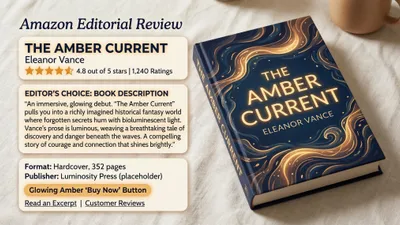
You can use AI to write a book description that converts browsers into buyers in under 15 minutes — if you give the AI the right inputs and edit the output with intention.
In this guide, you’ll learn:
- The exact prompts and frameworks for generating AI book descriptions
- How to edit AI output so it sounds like you, not a robot
- Platform-specific formatting for Amazon, Kobo, and Apple Books
- Common AI description mistakes and how to avoid them
Here’s the step-by-step process.
What Is an AI Book Description?
AI book description — A book description generated or refined with artificial intelligence tools like ChatGPT, Claude, or dedicated book blurb generators. The AI produces draft marketing copy based on your book’s genre, themes, characters, and target audience.
An AI book description is not a summary your AI spits out and you paste onto Amazon. It’s a starting point — a draft you shape, edit, and polish until it sounds like your voice and sells your specific book to your specific reader.
The best AI-generated descriptions blend machine speed with human judgment. You provide the creative direction. The AI handles the heavy lifting of arranging persuasive copy elements — hooks, stakes, emotional triggers, and calls to action — into a structure that works.
Why Use AI for Book Descriptions?
Your book description is your sales pitch. It sits on your Amazon listing, right below your cover, and it’s what convinces a stranger to spend money on your words.
Most authors struggle with descriptions because writing marketing copy is a completely different skill from writing books. You spent months or years on your manuscript. Now you need to compress it into 150 words that sell. That’s hard.
AI changes the equation. Instead of staring at a blank page for hours, you feed the AI your book’s key details and get back a structured draft in seconds. You still do the creative work — choosing the right angle, refining the voice, cutting the fluff — but the blank page problem disappears.
Here’s what AI actually helps with:
- Speed. A description that used to take 3-5 hours now takes 15-30 minutes including editing.
- Structure. AI tools know proven copywriting frameworks (AIDA, PAS, hook-stakes-proof) and apply them automatically.
- Variation. You can generate 5-10 versions in minutes and pick the strongest elements from each.
- Objectivity. You’re too close to your own book. AI gives you distance and a fresh angle on what sells it.
Over 10,000 authors have used Chapter to write books, and many use AI assistance for their marketing copy too. The ones who get the best results treat AI as a drafting partner, not a replacement for their own judgment.
How to Prepare Your Inputs Before Generating
Good AI output starts with good inputs. Before you open any AI tool, assemble these five elements:
1. One-sentence book summary. What is your book about, in plain language? Not a plot synopsis — a pitch. “A cozy mystery about a retired librarian who solves murders using rare book knowledge” is better than a paragraph of plot details.
2. Target reader. Who is this book for? Be specific. “Women 35-55 who read 2-3 cozy mysteries per month” is useful. “Book lovers” is not.
3. Three unique selling points. What makes your book different from the 50 other books in your subcategory? Think: unusual setting, fresh premise, hybrid genre, unique expertise (for nonfiction).
4. Comparable titles. Name 2-3 books your reader already loves. This helps the AI calibrate tone and genre expectations. “Fans of Tana French and Ruth Ware” tells the AI more than “literary thriller.”
5. Tone keywords. Three to five words that describe how your description should feel. “Suspenseful, atmospheric, literary” or “funny, heartwarming, quirky” or “authoritative, practical, no-nonsense.”
Write these down before you touch the AI. Every minute spent on inputs saves five minutes of editing bad outputs later.
Step-by-Step: How to Generate an AI Book Description
Step 1: Choose Your AI Tool
You have several options, from general-purpose AI to book-specific generators.
Our Pick — Chapter
Chapter helps you write your entire book with AI — from outline to finished manuscript — and its AI tools extend to marketing copy including descriptions, blurbs, and back cover text. Because Chapter already knows your book’s content, characters, and themes, it generates descriptions with more context than any standalone tool.
Best for: Authors who wrote their book with Chapter and want descriptions that reflect the actual content Pricing: $97 one time, 2 books included (fiction or nonfiction), 30-day money-back guarantee Why we built it: Your book description should come from someone who’s actually read the book — and Chapter has.
Other solid options include ChatGPT (free tier works fine for descriptions), Claude, and dedicated AI book blurb generators. For a standalone description, any of these work. The difference is in how much context you need to provide manually.
Step 2: Use a Proven Prompt Framework
Don’t just say “write a book description.” Use a structured prompt that gives the AI everything it needs. Here’s the framework that works:
For fiction:
Write a compelling book description for my [genre] novel.

Title: [Your Title]
One-line pitch: [Your one-sentence summary]
Main character: [Name, key trait, what they want]
Central conflict: [What stands in their way]
Stakes: [What happens if they fail]
Tone: [Your 3-5 tone keywords]
Comparable titles: [2-3 comp titles]
Target reader: [Who this is for]

Requirements:
- 150-200 words
- Hook the reader in the first sentence
- End with a question or cliffhanger that creates urgency
- Do NOT reveal the ending
- Write in present tense
For nonfiction:
Write a persuasive book description for my nonfiction book.

Title: [Your Title]
Topic: [What the book teaches]
Reader's problem: [What pain point does this solve]
Key promise: [What transformation will the reader experience]
Author credibility: [Why you're qualified to write this]
3 key takeaways: [What the reader will learn]
Tone: [Your tone keywords]
Target reader: [Who this is for]

Requirements:
- 150-250 words
- Lead with the reader's problem, not the author's credentials
- Include specific outcomes the reader will achieve
- End with a clear reason to buy now
Step 3: Generate Multiple Versions
Never accept the first draft. Generate at least three to five versions using these variations:
- Change the hook style. Ask for a version that opens with a question, one that opens with a bold statement, and one that opens with a scene.
- Change the framework. Try AIDA (Attention, Interest, Desire, Action), PAS (Problem, Agitation, Solution), and a straight hook-stakes-proof structure.
- Change the length. Generate a 100-word short version for the back cover, a 200-word Amazon version, and a 50-word tagline for social media.
Pull the strongest elements from each version. The best hook from version one, the stakes paragraph from version three, the closing line from version two. Frankenstein your way to the best possible description.
Step 4: Edit for Voice and Accuracy
This is the step most authors skip — and it’s the most important one.
AI descriptions have telltale problems. Watch for these and fix every single one:
Kill the clichés. AI loves “in a world where,” “nothing is as it seems,” “will change everything,” and “must confront.” Replace these with specific, vivid language from your actual book.
Check the facts. AI will invent plot points, character names, and details that don’t exist in your book. Read every sentence and verify it’s accurate.
Match your voice. Read your description aloud. Does it sound like something you’d say? If you write dark thrillers and the AI produced something that sounds like a Hallmark movie, rewrite the tone.
Cut the fluff. Every word in a book description must earn its place. Remove adjectives that don’t add meaning. Delete sentences that repeat what you’ve already said. Most AI descriptions can lose 20-30% of their words and get stronger.
Add your secret weapon. Include one specific, vivid detail that only you would know about your book. A unique setting detail, an unusual character trait, a surprising premise element. This is what makes your description feel human and specific rather than AI-generic.
Best AI Prompts for Book Descriptions by Genre
Different genres need different approaches. Here are ready-to-use prompts for the most common categories.
Romance Book Description Prompt
Write a 175-word romance book description that creates
emotional urgency. Focus on the chemistry between the leads
and the obstacle keeping them apart. Use warm, intimate
language. End with a line that makes the reader desperate
to know if they get their happily ever after.

[Insert your 5 input elements here]
Romance readers want to feel the tension. Your description should make their heart rate spike, not summarize the plot.
Thriller/Mystery Book Description Prompt
Write a 150-word thriller book description with short,
punchy sentences. Build tension with each line. Focus on
stakes and danger, not backstory. Include one twist hint
without spoiling. End on a cliffhanger question.

[Insert your 5 input elements here]
Thriller descriptions should read fast. If a sentence has more than 15 words, it’s probably too long for this genre.
Nonfiction Book Description Prompt
Write a 200-word nonfiction book description that leads
with the reader's biggest pain point. Show you understand
their frustration, then present the book as the solution.
Include 3 specific things they'll learn. End with a
transformation statement — what their life looks like
after reading.

[Insert your 5 input elements here]
Nonfiction descriptions sell outcomes, not information. Don’t list chapters — list results.
Fantasy/Sci-Fi Book Description Prompt
Write a 175-word fantasy book description that hints at
the world without over-explaining it. Focus on the
character's personal stakes within the larger conflict.
Use evocative but accessible language. Avoid genre clichés
like "chosen one" unless that's genuinely your premise.

[Insert your 5 input elements here]
Fantasy readers want to feel the world, not have it explained. One vivid detail beats three paragraphs of worldbuilding.
How to Format Your AI Book Description for Amazon
Amazon’s product page is where most book descriptions live, and formatting matters more than most authors realize. The first two lines are all that’s visible before the “Read More” button. Everything above that fold needs to hook.
Amazon KDP Description Formatting
Amazon supports basic HTML in your book description. Use it:
<b>Bold text</b>for emphasis on key phrases<i>Italic text</i>for titles and pull quotes<br>for line breaks (Amazon ignores paragraph breaks)<h2>headings are supported but rarely needed
Structure for Amazon:
- Hook line (1 sentence, bold) — visible before “Read More”
- Bridge sentence — connects hook to the body
- Body (100-150 words) — stakes, conflict, promise
- Social proof line (if available) — awards, reviews, press
- Call to action — “Scroll up and click Buy Now” or similar
Ask your AI tool to generate an HTML-formatted version specifically for Amazon. Then preview it in your KDP dashboard before publishing.
Back Cover vs. Amazon Description
Your back cover blurb and your Amazon description are not the same thing. Back covers are shorter (75-125 words), have no HTML formatting, and need to work visually alongside your cover design.
Generate separate versions for each. Ask the AI: “Now condense this into a 100-word back cover version with no formatting, designed to be read in 10 seconds.”
For more on writing book blurbs and back cover copy, check our dedicated guides.
Common Mistakes When Using AI for Book Descriptions
1. Using the Output Without Editing
The number one mistake. Raw AI output is a draft, not a finished product. It will contain clichés, generic language, and possibly inaccurate details about your book. Always edit.
2. Providing Vague Inputs
“Write a description for my fantasy book” gives the AI nothing to work with. The more specific your inputs, the better your output. Include genre, tone, comps, audience, and your unique selling points every time.
3. Writing a Summary Instead of a Sales Pitch
Your description should sell the reading experience, not summarize the plot. AI defaults to summary mode unless you explicitly prompt it not to. Add “This is a sales pitch, not a plot summary” to your prompt.
4. Ignoring Genre Conventions
Romance readers expect different language than thriller readers. A literary fiction description that sounds like a cozy mystery will attract the wrong audience. Specify your genre and sub-genre in the prompt, and include comp titles so the AI calibrates correctly.
5. Stuffing Keywords Unnaturally
Yes, your book description should include relevant Amazon keywords. No, it should not read like a keyword list. Include 2-3 search terms naturally. “A gripping psychological thriller” is fine. “This psychological thriller suspense mystery thriller book” is not.
Can AI Write Book Descriptions for Amazon KDP?
Yes, AI can write book descriptions for Amazon KDP, and thousands of authors already use it. Amazon’s AI disclosure policy requires you to indicate whether AI assisted in content creation, but this applies primarily to the book’s content — not to marketing copy like descriptions.
That said, the most effective approach is AI-assisted, not AI-generated. Use AI to draft, then edit heavily for voice, accuracy, and platform-specific formatting. A description that sounds obviously AI-generated (generic, cliché-heavy, tonally flat) will hurt your conversion rate more than a mediocre human-written one.
The authors who get the best results with AI descriptions follow a simple rule: spend 20% of your time generating and 80% editing.
How Long Should an AI Book Description Be?
The ideal length depends on where your description will appear:
| Platform | Ideal Length | Notes |
|---|---|---|
| Amazon KDP | 150-250 words | Only first 2 lines visible before “Read More” |
| Back cover | 75-125 words | Must work visually with cover design |
| Social media | 50-75 words | Needs to hook in the first sentence |
| Goodreads | 150-200 words | Readers expect more detail here |
| Author website | 200-300 words | Can include more context and links |
Generate all five versions from a single AI session. Start with the longest (author website), then ask the AI to condense for each shorter format. This ensures consistency across platforms while optimizing for each one.
How to Make AI Book Descriptions Sound Human
The biggest fear authors have about using AI for descriptions is that readers will know. Here’s how to make sure they don’t:
Read it aloud. If any sentence sounds like something a robot would say, rewrite it. Your ear catches what your eyes miss.
Add one personal detail. Include something only you would know about your book — a setting inspired by a real place, a character trait based on someone you know, a theme that came from personal experience. This grounds the description in reality.
Use your character’s actual voice. If your protagonist is sarcastic, let that bleed into the description. If your book is literary and lyrical, the description should be too. AI defaults to a neutral marketing tone. Override it.
Break the template. AI descriptions follow predictable structures. Move a sentence to an unexpected position. Start with dialogue. End with a single-word sentence. Anything that breaks the pattern makes it feel more human.
Have a reader beta-test it. Show your description to someone who hasn’t read your book. Ask them: “Would you buy this?” Their reaction tells you more than any self-editing session.
Should You Use Free or Paid AI Tools for Book Descriptions?
For book descriptions specifically, free tools work fine. ChatGPT’s free tier, Claude’s free tier, and Google Gemini all generate solid description drafts. The quality difference between free and paid AI tools is minimal for a task this short.
Where paid tools add value:
- Book-specific generators like Chapter already know your manuscript, so descriptions are more accurate and contextual
- Paid ChatGPT gives you GPT-4 access, which handles nuance and tone better than the free model
- Dedicated blurb tools offer genre-specific templates and Amazon formatting built in
If you’re writing descriptions for a single book, free tools are plenty. If you’re managing descriptions for a series or multiple titles, a paid tool that remembers your book details saves significant time.
For a full comparison of your options, see our AI book blurb generator roundup.
AI Book Description vs. Manually Written: Which Converts Better?
Neither — by itself. The highest-converting descriptions are AI-drafted and human-edited.
Pure AI descriptions tend to be generic, structurally sound but emotionally flat. They check every copywriting box without making the reader feel anything specific.
Pure human descriptions tend to be too close to the book. Authors over-explain, bury the hook, and write for themselves rather than for the buyer.
The hybrid approach wins because you get AI’s structural precision (proven frameworks, clean formatting, appropriate length) combined with your intimate knowledge of the book and its ideal reader.
If you want to learn more about writing book descriptions that sell, our companion guide covers the full manual process — which also helps you edit AI output more effectively.
FAQ
How do you use AI to write a book description?
To use AI to write a book description, you prepare five key inputs — one-sentence summary, target reader, three unique selling points, comparable titles, and tone keywords — then feed them into an AI tool with a structured prompt. Generate 3-5 versions, pull the best elements from each, and edit heavily for voice, accuracy, and genre conventions before publishing.
What is the best AI tool for book descriptions?
The best AI tool for book descriptions is Chapter if you wrote your book with it, since it already knows your content. For standalone description generation, ChatGPT (free or paid) works well with structured prompts. Dedicated AI blurb generators offer genre-specific templates but aren’t necessary for most authors.
Can Amazon detect AI-written book descriptions?
Amazon does not specifically scan book descriptions for AI content. Their AI disclosure policy focuses on the book’s manuscript content, not marketing copy. However, obviously AI-generated descriptions — with generic language and clichés — will hurt your conversion rate regardless of detection, because readers can tell.
How long should a book description be for Amazon?
A book description for Amazon should be 150-250 words. Only the first two lines appear before the “Read More” button, so your hook must land immediately. Use Amazon’s supported HTML formatting — bold, italic, line breaks — to make the description scannable and visually appealing on the product page.
Is it ethical to use AI for book descriptions?
Using AI for book descriptions is widely accepted and ethical, similar to using grammar checkers or hiring a copywriter. The key is honesty — don’t claim the AI wrote your book if it only wrote your description. Most published authors use some form of assistance for marketing copy, whether that’s a freelance copywriter, a marketing team, or an AI tool.