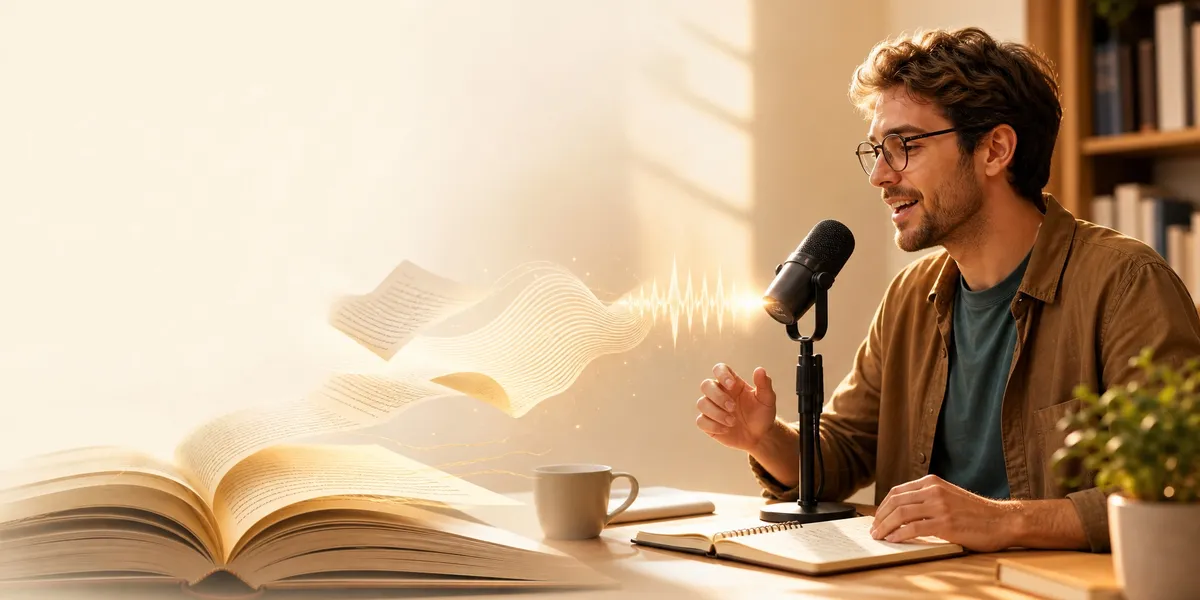
You can write a book by voice in a fraction of the time it takes to type one — most people speak at 130–150 words per minute but type at only 40, so talking your draft is roughly three times faster than typing it.
In this guide, you’ll learn:
- The full voice-first workflow, from outline to finished manuscript
- How to dictate cleanly so your transcript needs less editing
- The exact tools that turn spoken words into text (free and paid)
- How to use AI to structure raw transcripts into real chapters
Here’s the step-by-step process for writing your entire book out loud.
Can You Really Write a Whole Book by Voice?
Yes — you can write an entire book by voice, and many bestselling authors already do. Voice writing means dictating your manuscript out loud and converting your speech to text, instead of typing every word. Agatha Christie, Winston Churchill, and modern authors like Kevin J. Anderson all dictated their books.
The catch is that speaking a book is not the same as writing one. Your raw transcript will be messier than typed prose — more repetition, fewer paragraph breaks, the occasional misheard word.
That’s normal, and it’s solvable. The trick is treating dictation as a drafting method, then using a structured editing-and-AI pass to shape the transcript into a finished book. The rest of this guide walks through both halves.
Step 1: Outline Before You Speak
Outline your book before you dictate a single word. Dictation rewards preparation more than typing does, because when you speak you can’t easily scroll back and see where you are. A clear outline keeps you talking in a straight line instead of rambling.
Aim for a chapter-by-chapter map. For each chapter, jot down the 3–5 key points you want to hit and the order they go in.
A few hours of outlining can save dozens of hours later. With your structure locked in, you can dictate section by section instead of trying to hold the whole book in your head. If you’re new to this, start with our guide on how to outline a book or grab a free book outline template.
Tip: Keep your outline visible while you dictate — printed on paper or on a second screen. Glancing at your next point keeps your spoken words on track.
Step 2: Set Up Your Voice Recording Workspace
A good voice-writing setup needs three things: a quiet space, a decent microphone, and reliable recording software. Get these right and your transcript will need far less cleanup.
Your environment matters most. Background noise, echo, and music all confuse transcription engines, so pick the quietest room you have and close the door.
For the microphone, you have options at every budget:
- Free / built-in — Your phone or laptop mic works for getting started.
- Budget ($30–80) — A USB headset or lavalier mic dramatically improves accuracy.
- Mid-range ($100–150) — A Blue Yeti or Audio-Technica AT2020 gives near-studio clarity.
- On the move — Wireless earbuds like AirPods let you dictate while walking.
Keep water nearby. Dictating for an hour is more tiring on your voice than you’d expect, and a dry throat hurts accuracy.
Step 3: Choose How You’ll Capture Your Voice
There are three ways to turn your speech into text, and the right one depends on where and how you like to work.
Real-time transcription writes the words on screen as you speak. Built-in dictation in Google Docs, Microsoft Word, and Apple Pages all do this for free — just enable dictation and start talking.
Record now, transcribe later lets you capture audio anywhere (a walk, a drive, the gym) using a voice-memo app, then run the file through a transcription tool afterward. This is the most flexible option for busy writers.
Human transcription sends your audio to a professional service like Rev for near-perfect accuracy, at roughly $1.25 per minute. It’s the priciest route but saves editing time.
For a deeper look at the apps involved, see our guides to speech-to-text for writing books and voice-to-text tools for authors.
Step 4: Best Tools to Write a Book by Voice
The best voice-writing tool depends on whether you want raw transcription, AI cleanup, or a full draft-to-book workflow. Here are the options worth your time in 2026.
Free Built-In Dictation
Google Docs Voice Typing, Microsoft Word Dictate, and Apple’s built-in dictation all transcribe in real time at no cost. Accuracy is good in quiet rooms. This is the best place to start before spending any money.
Dragon Professional
Dragon is the long-standing gold standard for accuracy and works offline. It learns your voice over time and handles long dictation sessions well. It’s a paid desktop tool, best for writers who dictate daily.
Transcription Apps (Otter, Descript, MacWhisper)
These shine when you record first and transcribe later. Otter is great for capturing spoken notes, while Descript and MacWhisper turn audio files into clean, editable text you can repurpose into chapters, blog posts, or course scripts.
Chapter — Voice Transcript to Structured Book
Our Pick — Chapter
Once you have a raw transcript, the hard part begins: turning a wall of spoken text into organized chapters. Chapter takes your messy dictated material, structures it into a logical chapter outline, and helps you expand and polish each section into publishable prose — without losing your voice.
Best for: Authors who’ve dictated their ideas and need to shape them into a real book Pricing: $97 one time, 2 books included (fiction or nonfiction), 30-day money-back guarantee Why we built it: Capturing words by voice is easy; structuring them into a finished manuscript is where most authors get stuck — so we built the tool that bridges the gap.
Chapter isn’t a transcription engine — use the free dictation tools above to capture your voice first. Chapter’s job is the next step: taking that transcript and turning it into a structured, edited book. More than 10,000 authors have used it to write books** on the platform.
Quick Comparison: Voice-Writing Tools
| Tool | Best For | What It Does | Price |
|---|---|---|---|
| Chapter | Transcript → finished book | Structures and polishes dictated text into chapters | $97 one-time |
| Google Docs / Word | Free real-time dictation | Transcribes speech as you talk | Free |
| Dragon Professional | Daily, accuracy-critical work | Trains to your voice, works offline | Paid desktop |
| Otter / Descript | Record-now-transcribe-later | Turns audio files into editable text | Free–paid tiers |
| Rev (human) | Maximum accuracy | Human-transcribed audio | ~$1.25/min |
Most authors use two of these together: a free dictation tool to capture words, then Chapter to shape the transcript into a book.
Step 5: Dictate Section by Section
Dictate in short, focused bursts rather than trying to talk through a whole chapter at once. Work from your outline one section at a time — say a heading, hit its key points, then move on. This keeps your draft organized and your energy high.
The single most important rule: don’t stop to correct mistakes. If the software mishears a word or you stumble, keep going. Stopping to fix errors kills your flow and turns a fast draft into a slow one.
When you hit a spot that needs work later, say a verbal marker out loud — like “bracket fix this bracket” or “TODO check that fact.” You’ll find these markers instantly during editing.
Work in 25–30 minute sessions, then rest your voice. That’s long enough to produce several thousand words but short enough to stay sharp.
Speak in complete sentences and say your punctuation out loud — “period,” “comma,” “new paragraph.” It feels strange at first, but it produces a far cleaner transcript and trains your brain to compose in finished thoughts rather than fragments.
Can You Dictate a Book on Your Phone?
Yes — you can dictate an entire book on your phone, and it’s one of the best reasons to write by voice. Both iPhone and Android have built-in voice typing in their keyboards and notes apps, so you can capture chapters during a walk, a commute, or a coffee break.
For longer sessions, use a dedicated voice-memo app to record audio, then transcribe the file later on your computer. This “capture anywhere, structure later” approach means you’re never stuck waiting for desk time to make progress on your book.
The one caveat is audio quality. Phone mics pick up wind and background noise easily, so add a cheap clip-on lavalier mic or wireless earbuds when you record on the move.
Step 6: Turn Your Transcript Into a Structured Book
This is the step most voice-writing guides skip — and it’s where a transcript becomes an actual book. Your raw dictation is a pile of spoken words; now you give it shape.
Start by reading the transcript and splitting it into chapters and sections that match your outline. Add the headings, paragraph breaks, and structure that speech doesn’t naturally include.
Then do a “spoken-to-written” pass. Spoken language repeats itself, trails off, and uses filler (“you know,” “kind of,” “so anyway”). Cut the filler and tighten loose sentences so the prose reads like writing, not a transcript.
This is exactly where an AI book tool earns its keep. Instead of asking AI to “write a chapter,” feed it your transcript and ask it to organize, structure, and clean up your words while keeping your voice. Tools like Chapter are built for this transcript-to-manuscript step. For a broader view of the workflow, see how to write a book with AI and our AI co-writing process.
Voice-preservation tip: Before AI cleans your transcript, give it 2–3 pages of writing you’re proud of. Ask it to match your rhythm and word choice so the edited text still sounds like you.
Step 7: Edit and Polish the Draft
Dictated drafts need more editing than typed ones — and that’s a fair trade, because you saved far more time getting the words down. Plan for a thorough self-edit before anyone else reads it.
Read the whole draft once for flow, fixing the verbal markers you left behind and any words the software misheard. Homophones (their/there, to/too) slip through transcription often, so watch for them.
Then read it aloud — ironically, the best way to catch awkward dictated prose. If a sentence sounds clunky spoken, it’ll read clunky too. For a faster editing pass overall, see how to write faster without losing quality.
Edit in layers, not all at once. Do a structural pass first (are the chapters in the right order?), then a paragraph pass (does each section flow?), then a line edit (word choice and grammar). Trying to fix everything in one read-through is how dictated drafts stall.
Common Mistakes to Avoid
- Dictating without an outline — You’ll ramble and create more editing work than you saved.
- Stopping to correct every error — It destroys your flow; mark and move on.
- Recording in a noisy room — Background noise wrecks transcription accuracy.
- Treating the transcript as a finished draft — It’s raw material, not a book. Always do the structuring and editing passes.
- Skipping the voice check on AI edits — Unchecked AI cleanup can sand away the personality that makes your book yours.
How Many Words Can You Write by Voice in an Hour?
You can realistically write 3,000–5,000 words per hour by voice, compared to roughly 1,000–2,000 words per hour typing. Authors who dictate regularly, like Kevin J. Anderson, report 3,000–5,000 words per hour — about triple their typing output — because speaking removes the keyboard bottleneck and keeps you in creative flow.
At that pace, the drafting stage of a book shrinks dramatically. A 60,000-word nonfiction book that might take months to type could be dictated in a couple of focused weeks — though you’ll still budget editing time on top.
How Long Does It Take to Get Good at Dictating?
Most writers feel comfortable dictating within two to four weeks of regular practice. The first few sessions feel awkward because writing out loud uses different mental muscles than typing — you’re composing without seeing the words form.
Push through the early discomfort. Start with low-stakes material like blog posts or journal entries, then move to book chapters once the rhythm clicks. Within a month, most authors dictate as naturally as they type. See dictation for writers for drills that speed up the learning curve.
Is Writing by Voice Right for Every Book?
Voice writing suits narrative and idea-driven books best — memoir, self-help, business, fiction, and any book where you’re essentially telling a story or explaining concepts. If you can talk about your topic naturally, you can dictate it.
It’s a weaker fit for highly technical books loaded with formulas, code, or precise formatting, where typing stays faster and more accurate. Many authors use a hybrid approach: dictate the narrative sections, type the technical ones. Explore how to dictate a book for genre-specific guidance.
FAQ
How do I write a book by voice for free?
You can write a book by voice for free using built-in dictation in Google Docs, Microsoft Word, or Apple Pages — all transcribe your speech in real time at no cost. Pair them with a quiet room and a good outline, and you have a complete free voice-writing setup with no paid software required.
Is it faster to dictate or type a book?
Dictating a book is roughly three times faster than typing it. Most people speak at 130–150 words per minute but type at around 40, so you get words on the page far quicker by voice. You’ll spend more time editing the transcript, but the overall time savings remain large.
Can AI turn my voice recording into a book?
AI can turn your voice recording into a structured book once it’s transcribed to text. Tools like Chapter take your raw transcript and organize it into chapters, clean up spoken filler, and polish the prose while preserving your voice. AI handles the structural heavy lifting, but you stay the author and final editor.
Do dictated books need more editing?
Yes — dictated books typically need more editing than typed ones, because spoken language includes repetition, filler words, and transcription errors. But you save far more time during drafting than you spend editing, so the net time savings stay strongly in dictation’s favor for most authors.
What’s the best microphone for dictating a book?
The best microphone for dictating a book is a USB condenser mic like the Blue Yeti or Audio-Technica AT2020 for desk work, or wireless earbuds for dictating on the move. Even a phone mic in a quiet room works well to start — clean audio matters more than expensive gear.
Writing a book by voice turns the slowest part of authorship — getting the first draft down — into the fastest. Outline well, dictate in focused bursts, and let a structuring tool like Chapter carry your spoken words across the gap from messy transcript to finished manuscript.